QUEST FOR TANELORN · DEV JOURNAL ·
Quest for Tanelorn 0.71: more visual choices, fewer interruptions
The next update brings actions closer to the player and lets the 3D presentation adapt to the device. Changes are implemented in the native project and being validated; this is a development preview, not a new public package announcement.
A visual profile for each device
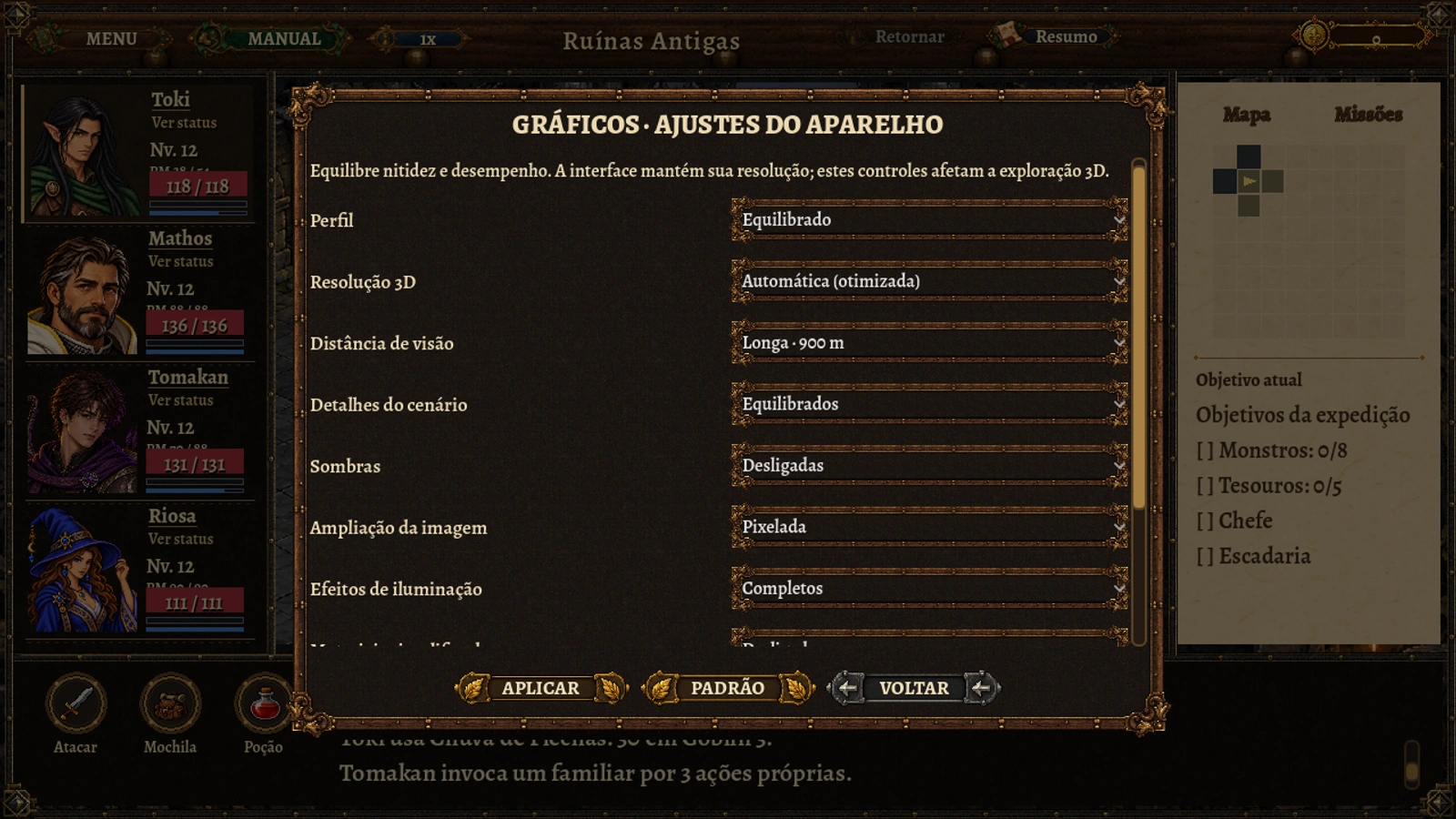
Android testing prompted a clearer separation between quality and rendering budget. Version 0.71 offers Economy, Low, Balanced, High and Maximum presets, plus custom settings for 3D resolution, view distance, scenery detail, shadows, image scaling and frame-rate limits.
Interface resolution is not reduced with the scenery. Automatic mode keeps an optimized budget; powerful devices can try up to native 3D resolution, capped at 2560 pixels wide. Greater clarity also demands more processing and graphics memory.
Economy includes simplified materials as a compatibility alternative: terrain uses a reduced texture blend and other materials omit some effects. The option does not remove buildings, characters or collisions. It does not establish the cause of failures on a specific chipset or guarantee a fix for every device. Preferences stay local and separate from saves.
Techniques on the bar, during the turn
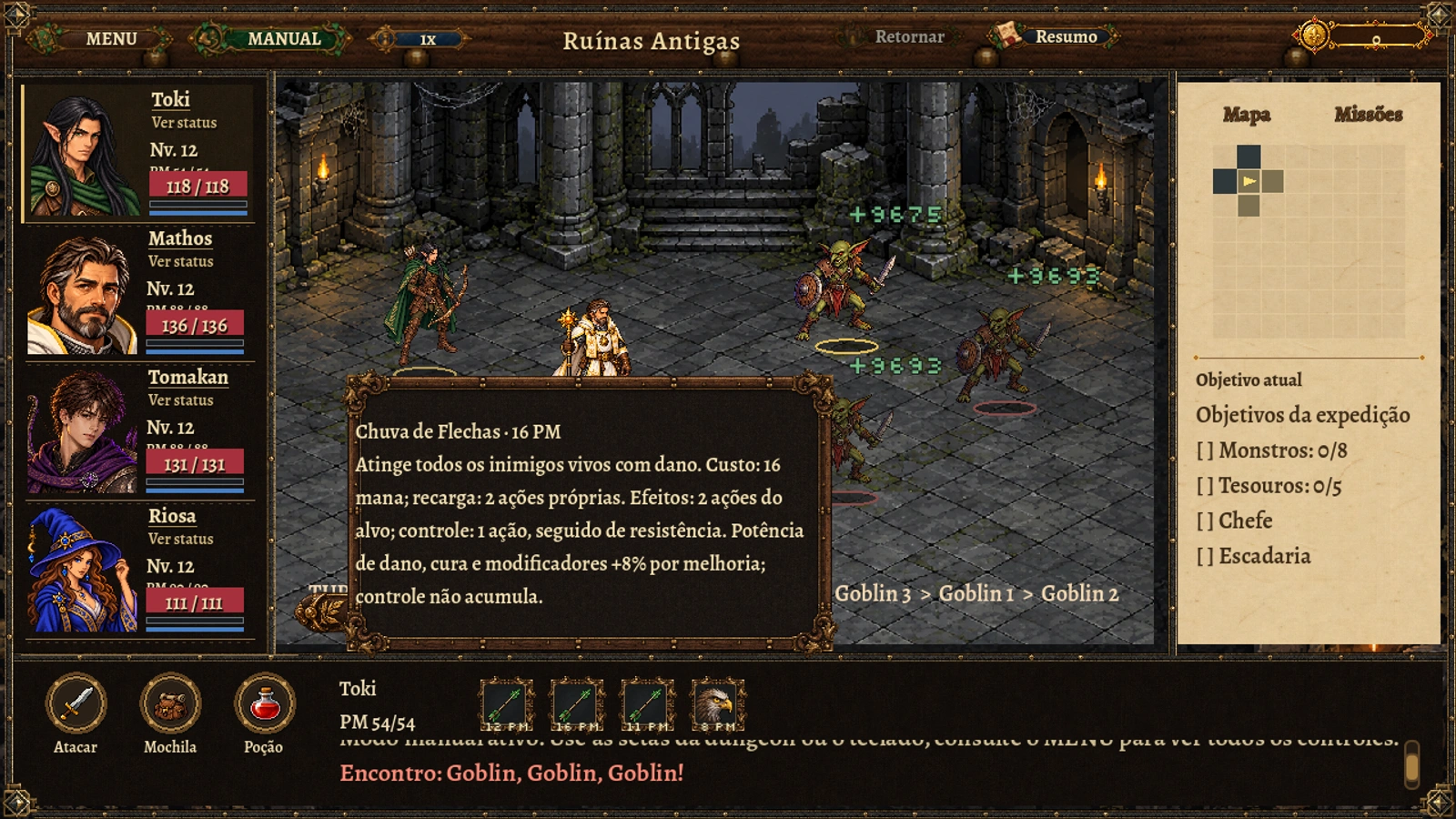
The current character's unlocked active skills appear directly on the combat bar, with mana costs and cooldown indicators. The main workflow no longer opens a separate list window for every choice.
On PC, hovering reveals the description. On touch, pressing and holding inspects a technique without casting it on release. A short tap uses an available skill. The bar follows the current character and respects the existing mana, cooldown and action checks.
Save records and consumables with room to read
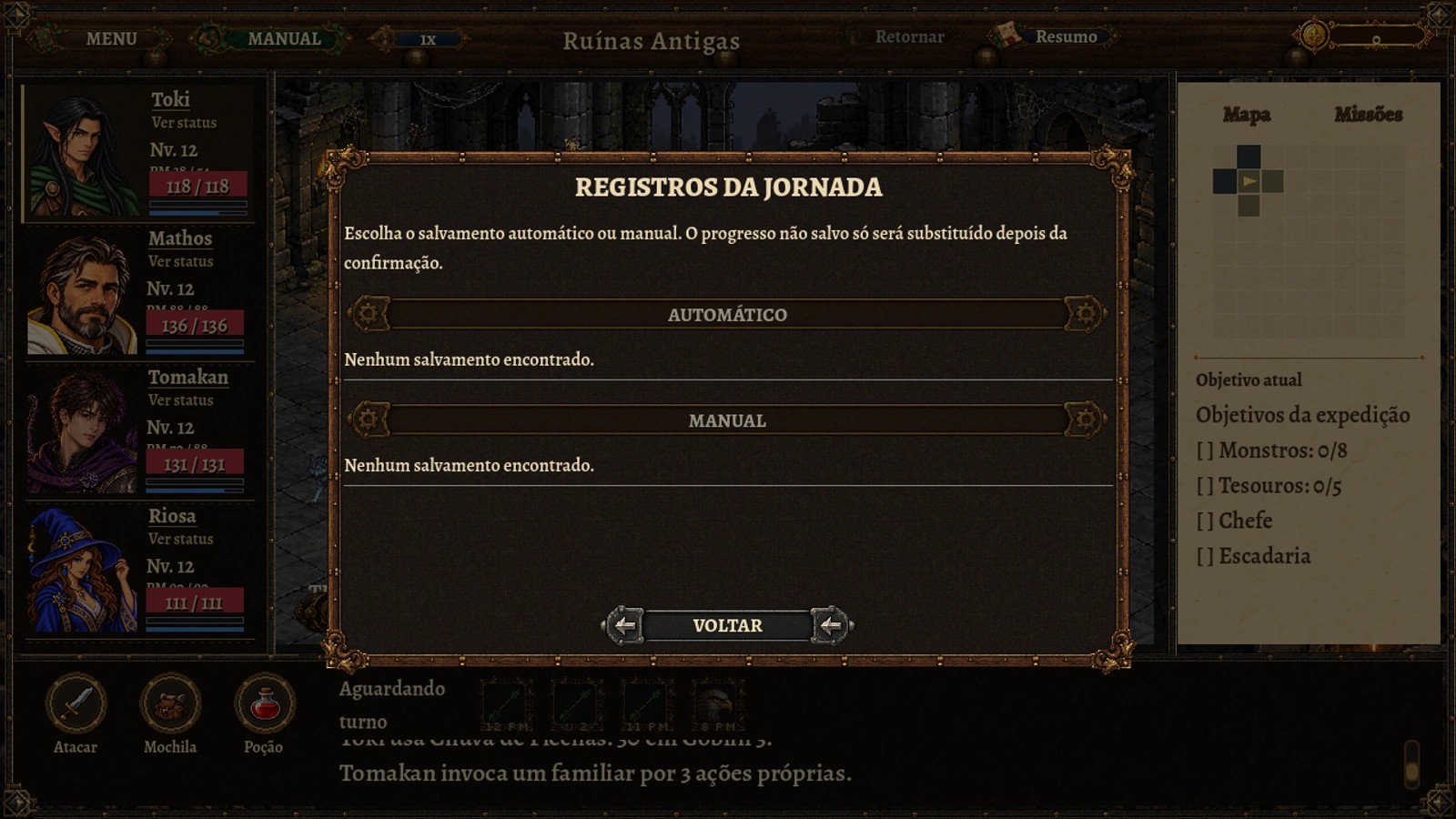
Loading progress now opens a compact textured dialogue over the current screen. Automatic and manual records have their own states, and replacing the session requires confirmation within the same panel.
The empty consumables panel was also revised: its message moved out of a narrow grid into a wider reading area. Target selectors and use actions are not shown when no items are available. The save-file format was not changed.
Fandalin information within reach
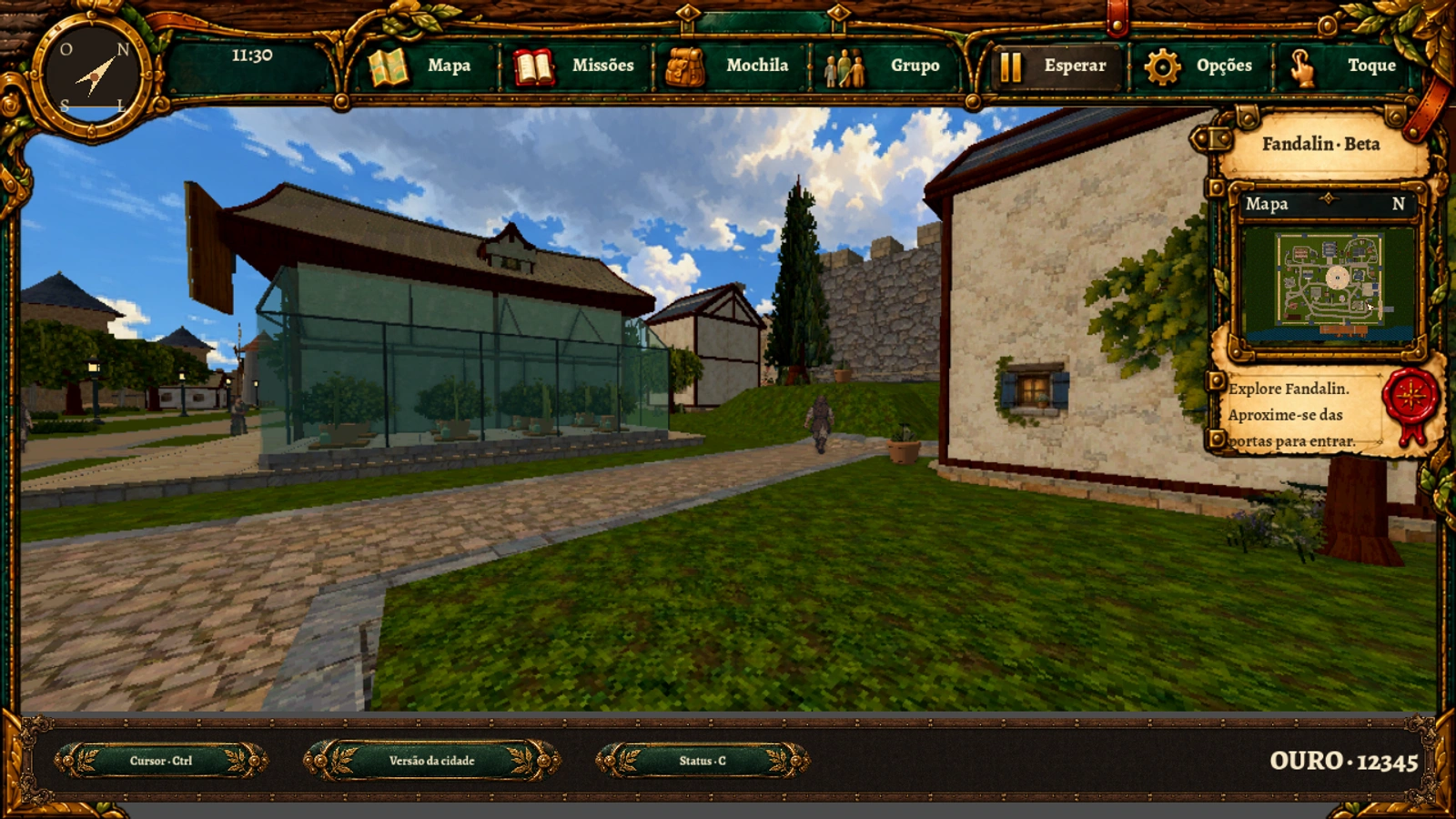
Total gold can be checked while walking. Cursor, town-version and Status controls now share the surrounding footer instead of floating over the scenery. The open region also receives the navigation and currency footer.
Local tests checked live quality changes, reversible simplified materials, preserved collisions and layouts at PC, phone and tablet sizes. Installation and performance of the new build still need Android device testing; PC captures do not replace that validation.
A preview of the changes
Real native development captures on PC, with no reconstructed gameplay content. Mobile layouts simulate interface sizes, not actual Android device captures.