
QUEST FOR TANELORN · UPDATE 0.72 ·
Quest for Tanelorn 0.72: your journey, your controls
Version 0.72 brings another round of usability improvements: more freedom to configure commands, organise adventure records and follow exploration and combat. We also revisited the tavern presentation and the stream beside the bridge.
What changed at a glance
- Remappable controls. Change movement keys and shortcuts under Options → Controls.
- Interface-free view. Ctrl+K hides the HUD; a translucent indicator brings it back with a tap or click.
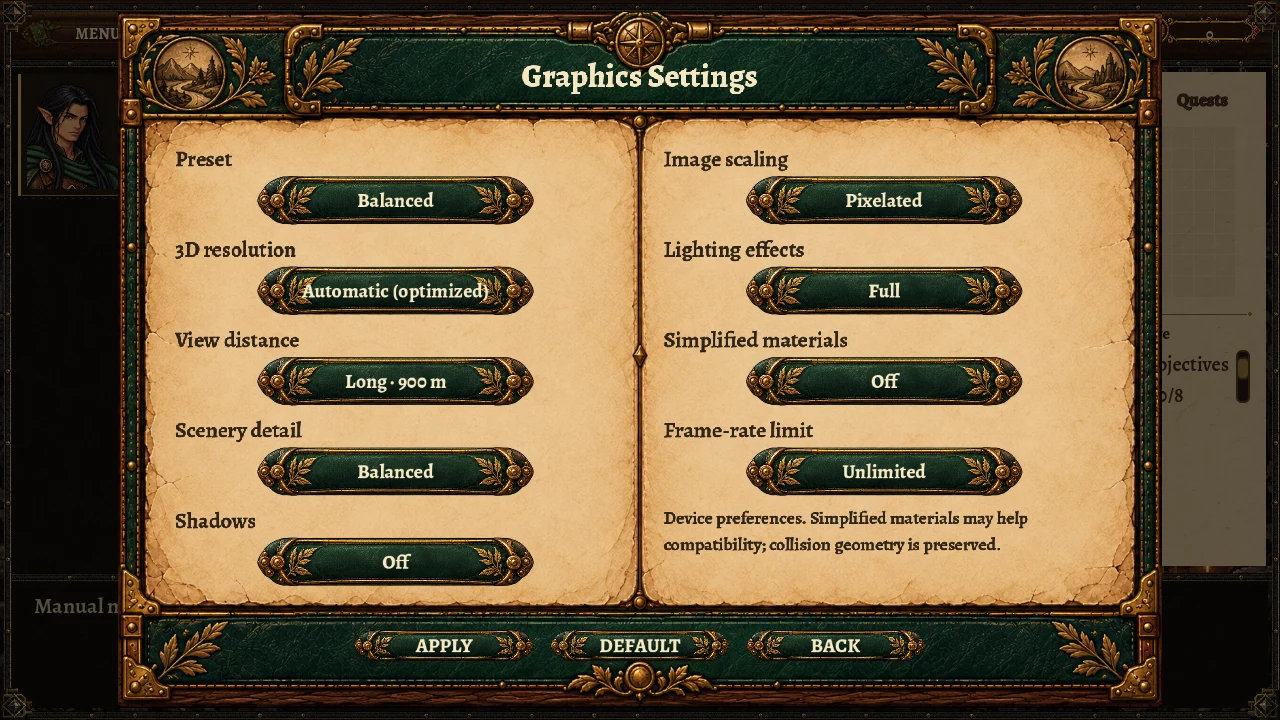
- Graphics Settings. A new illustrated layout, visible categories and roomy selections showing every alternative.
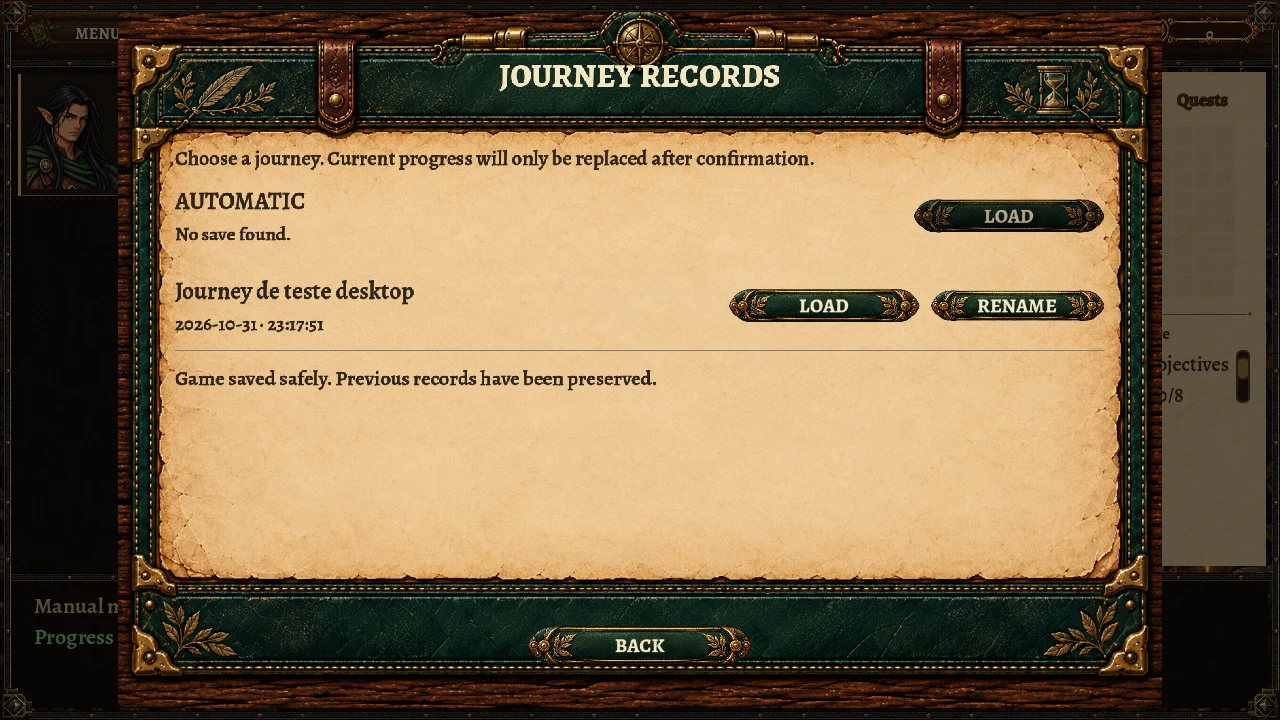
- Multiple manual saves. Independent records, custom names, a date-based default and later renaming.
- Status and maps. Status attributes and actions without scrollbars; map tabs, labels and controls realigned.
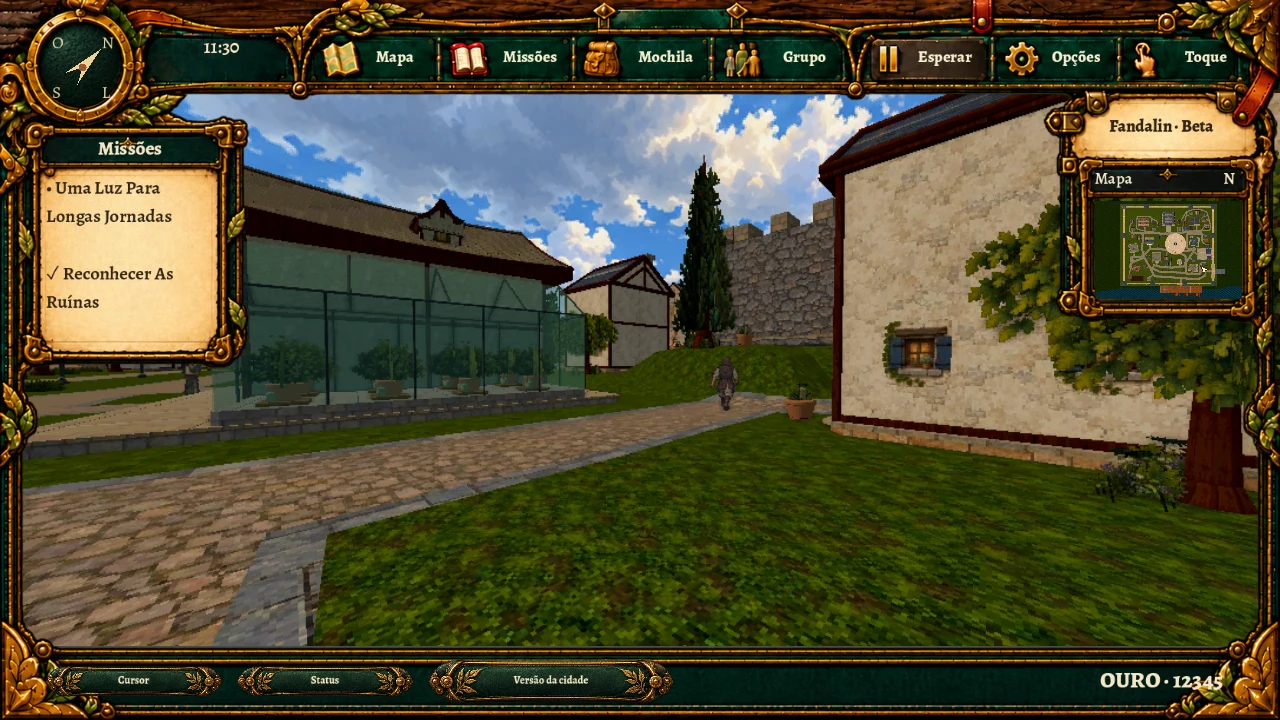
- Exploration HUD. Quests on the left, location and minimap on the right, Status and gold in the integrated footer; an opaque compass and unlabelled touch controls.
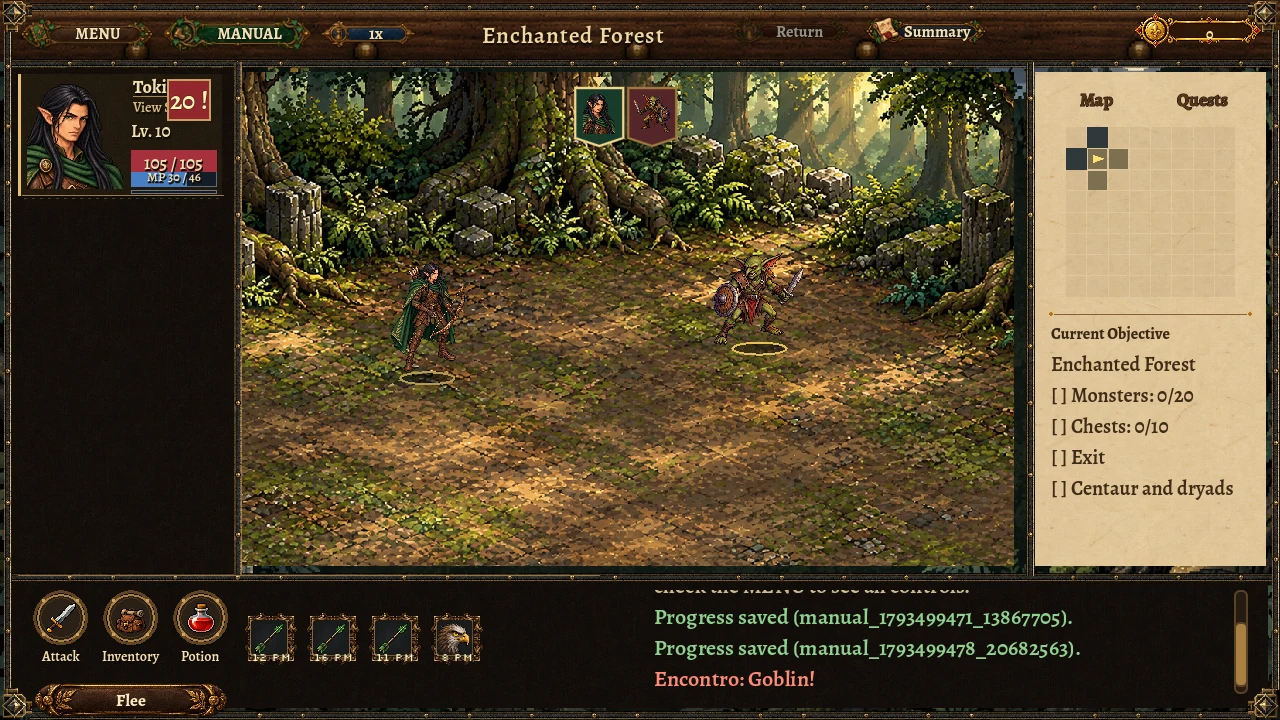
- Organised combat. Actions and skills share the footer with the log; Flee sits below the actions and mana accompanies health.
- Visual turn order. Portrait banners, an active-actor indicator and combatant highlighting on tap or click.
- Tavern and stream. Revised visitor proportions and placement, continuous water beneath the bridge and more bank plants and pebbles.
Configurable commands and an unobstructed view
Controls now offers remapping for movement and shortcuts in town, the open world and expeditions. Preferences stay on the device, outside campaign saves. Conflicts are reported and defaults can be restored; Esc remains reserved for closing windows.
The default Ctrl+K shortcut hides the interface to let you look at the scenery. Touch players can use the same function in settings. A small translucent indicator in the upper-left corner remains available to restore the controls.
Graphics choices that are easier to reach
The panel is now called Graphics Settings and has its own parchment-and-green-leather surface. Categories are shown together in two columns. Opening a selection displays every alternative as a larger button rather than the previous narrow scrolling list.
3D resolution, view distance, detail, shadows, scaling, effects, simplified materials and frame-rate limits remain device-local. This update changes access and presentation: quality and performance still depend on the device. It does not promise a particular frame rate or universal compatibility.
More than one record of an adventure
Manual saving is no longer limited to a single record. Each new save can have a name; leaving the default uses the current date and time. Records can also be renamed later without changing their date or progress.
The new illustrated window works from the title menu and during play. Loading requires confirmation before replacing the current session. Autosaving remains separate, and previous manual records are still recognised. Verified writes and backup protection remain in place.
Information where it belongs
During free exploration, active quests and quests ready to hand in sit on the left, above the touch-control area. The right side concentrates on the location name and minimap. The footer integrates Status, cursor, gold and, in town, the town-version selector. The compass has an opaque face and the touch sticks no longer need Move and Look labels.
Status has a more compact arrangement, Skins beside character identity and no scrollbars. On the map, tabs, closing control and lower actions were realigned; destinations show their names without Explore or Known route suffixes.
Recognisable turns and a separate combat log
The combat footer reserves half its space for actions and techniques and half for the log. Flee sits below Attack, Backpack and Potion, with active skills beside those actions. Total mana moves out of the skill bar and joins the party's health bars.
Small portrait banners present heroes and enemies in turn order. An arrow indicates the current actor. Tapping or clicking a portrait highlights that combatant in the arena without spending an action. Skill descriptions remain available on hover or a long press.
Tavern and bridge-side repairs
Garran's proportions were adjusted relative to the other visitors while keeping him behind the counter. Serujio was moved beside a table, with furniture correctly in front of his body. Tavern service headings and actions were also aligned with the illustration.
Bridge-approach grading was intruding into the stream bed. We corrected that interference, removed the painted road beneath the deck and updated the affected prepared landscape chunks. Banks gained plants and pebbles in the same rendering batches; flow is more noticeable without adding texture samples to the shader.